
uChart
Lightweight, canvas‑based charting library written in TypeScript, designed for real‑time data streams and small bundle size.
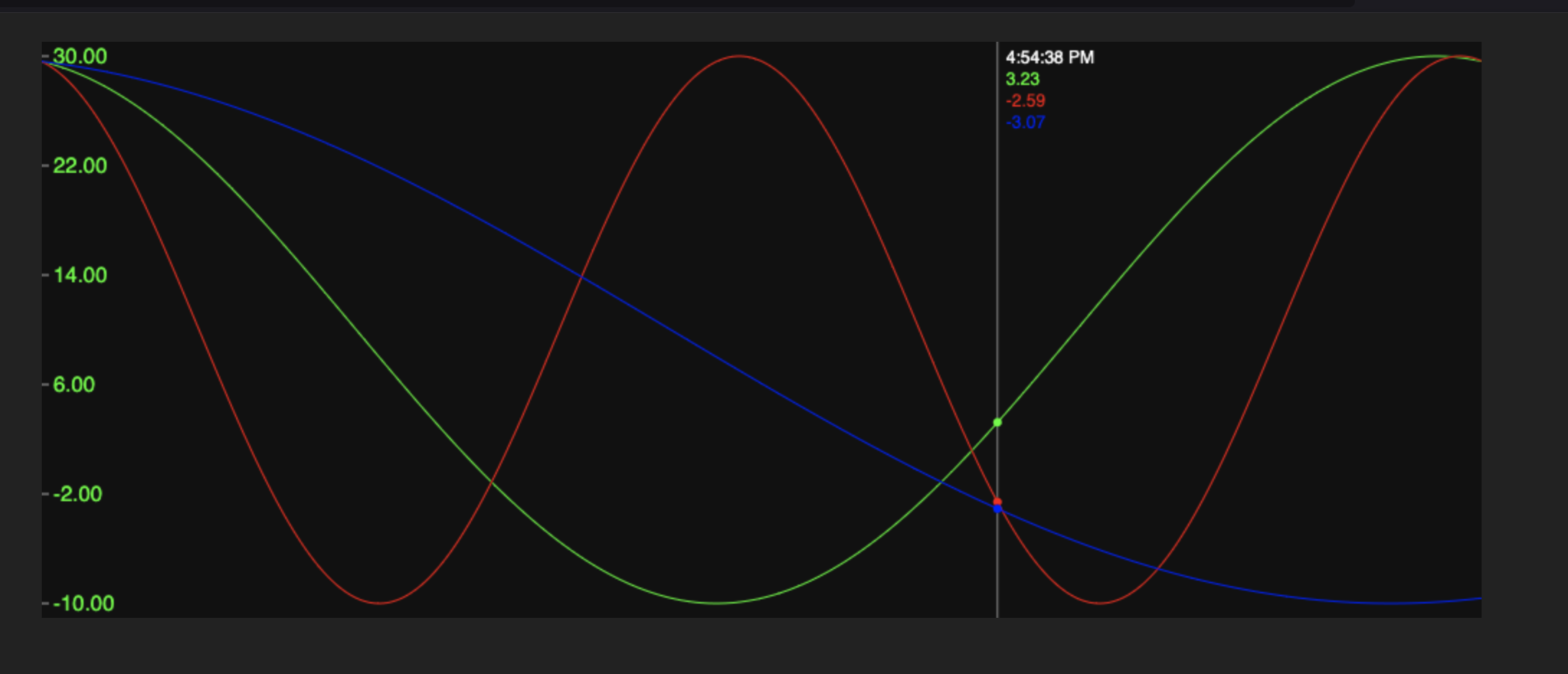
Features
- 💡 Zero external deps – plain
<canvas> - ⚡ Real‑time friendly – redraws only what’s needed
- 📦 ESM ready – authored as native ES modules
- 📝 TypeScript types included (
*.d.ts) - 🎛️ Configurable axes, ticks, colors, date formatting & cursor read‑outs
Options
The createChartElement(seriesList, options) function supports the following options:
| Option | Type | Description |
|---|---|---|
width |
number |
Fixed chart width in pixels (optional, defaults to container width) |
height |
number |
Fixed chart height in pixels (optional, defaults to container height) |
min |
number |
Minimum Y-axis value (optional, auto-computed if not set) |
max |
number |
Maximum Y-axis value (optional, auto-computed if not set) |
showYAxis |
boolean |
Whether to render Y-axis ticks and labels |
yTicks |
number |
Number of Y-axis ticks (default: 5) |
backgroundColor |
string |
Optional background fill color |
maxTimeDelta |
number | null |
Gap in ms that breaks line continuity (default: 600) |
dateFormat |
(ts: number) => string |
Custom formatter for the cursor timestamp label |
// Example: format timestamp to full Czech date+time
dateFormat: (ts) => new Date(ts).toLocaleString('cs-CZ', {
    hour: '2-digit',
    minute: '2-digit',
    second: '2-digit',
    day: '2-digit',
    month: '2-digit',
    year: 'numeric'
})
Installation
npm install @meteolab/uchart
Quick strart
<!-- test.html (included in the repo) -->
<!DOCTYPE html>
<html lang="en">
<head>
    <meta charset="UTF-8" />
    <title>uChart Interactive Test</title>
    <style>
        #chartContainer { width: 1000px; height: 400px; margin: 20px auto; background:#111; }
        body { background:#222; }
    </style>
</head>
<body>
<div id="chartContainer"></div>

<script type="module">
    import { createChartElement } from './dist/uchart.js';

    const container = document.getElementById('chartContainer');
    const chart = createChartElement([], {
        showYAxis: true,
        yTicks: 5,
        dateFormat: (ts) => new Date(ts).toLocaleString('cs-CZ', {
            hour: '2-digit',
            minute: '2-digit',
            second: '2-digit',
            day: '2-digit',
            month: '2-digit',
            year: 'numeric'
        })
    });    container.appendChild(chart.element);

    let phase = 0;

    function generateSineSeries(len, shift, amp, off, freq = 1){
        const now = Date.now();
        const data=[];
        for(let i=0;i<len;i++){
            const t = now + i*10;
            const x = i/len*2*Math.PI*freq;
            const y = Math.sin(x+shift)*amp + off;
            data.push([t,y]);
        }
        return data;
    }

    function update(){
        chart.setSeries([
            { data: generateSineSeries(1500, phase, 20, 10, 1),   strokeColor:'#0f0' },
            { data: generateSineSeries(1500, phase, 20, 10, 2),   strokeColor:'#f00' },
            { data: generateSineSeries(1500, phase, 20, 10, 0.5), strokeColor:'#00f' }
        ]);
        phase += 0.01;
    }
    update()
    setInterval(update, 50);
</script>
</body>
</html>
Test
During development you can run a live dev server:
npm run serve